Zoho Books Free Plan (2026): Is It Really Free? Limits Explained
Last updated: November 2026
Yes, the Zoho Books free plan is free with no time limit. It isn’t a trial. But “free” comes with a revenue cap, a single user and a list of features that only unlock on paid plans. Whether it stays free for you depends on three numbers: how much you earn, how many invoices you send and how many people need access.
Here’s exactly what the Zoho Books free plan includes in 2026, what it leaves out, and the moments you’ll be pushed to upgrade.

Quick Answer: Is Zoho Books Really Free?
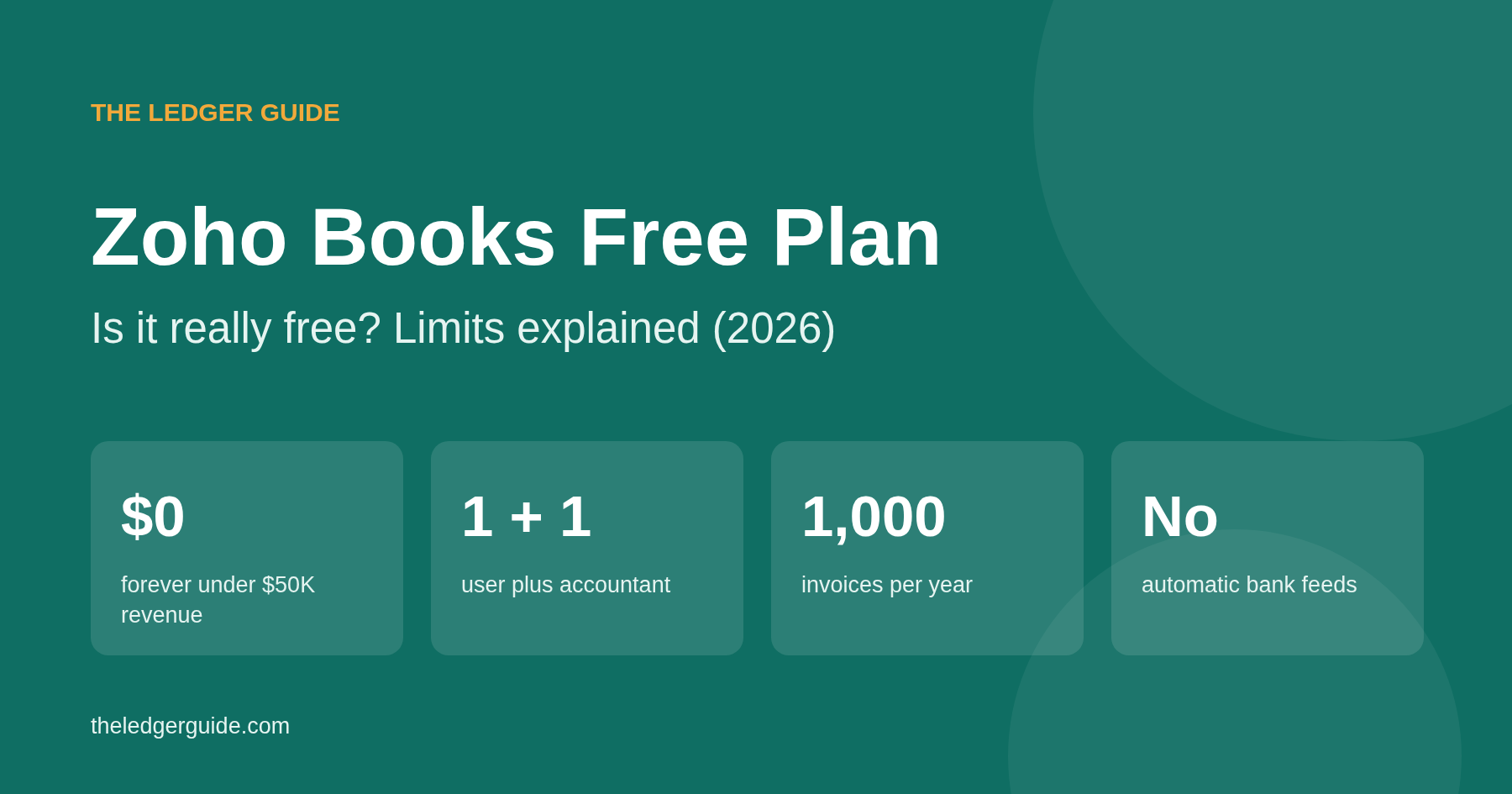
- Yes, permanently, as long as your revenue for the financial year stays under $50,000 (US edition).
- 1 user plus 1 accountant, up to 1,000 invoices and 1,000 expenses a year.
- Included: invoices, quotes, recurring invoices, payment reminders, a customer portal, online payments, bank reconciliation and 50+ reports.
- Not included: automatic bank feeds, sales tax tracking, multi-currency, purchase and sales orders, custom fields and API access.
- Next step up: Standard at $15/month billed annually ($20 billed monthly), for 3 users.
All figures are from Zoho Books’ US pricing page, checked in November 2026. Other regional editions have their own limits and prices (more on that below).
Zoho Books Free Plan Limits
| Limit | Free plan | Standard plan |
|---|---|---|
| Price | $0 | $15/mo billed annually, $20 monthly |
| Revenue cap | Under $50,000 per financial year | No cap |
| Users | 1 user + 1 accountant | 3 users |
| Invoices | 1,000 per year | Higher limit |
| Expenses / bills | 1,000 per year | Higher limit |
| Receipt autoscans | 50 per month | More, depending on plan |
| Automatic bank feeds | No | Yes |
| Support | Email, weekdays | Broader support options |
What’s Included in the Free Plan
For a freelancer or a one-person business, the free plan covers the full billing cycle, from quote to payment:
- Quotes and invoices, plus sales receipts and journals
- Recurring invoices for retainers and subscriptions (see how to set them up)
- Automated payment reminders
- Online payments through a connected payment gateway (the gateway charges its own fees)
- Self-service customer portal where clients can view and pay invoices
- Expenses, bills and vendor management, plus mileage tracking
- Bank reconciliation using transactions you add or import (step by step in our bank reconciliation guide)
- Profit & Loss, Balance Sheet and 50+ reports, with up to 5 scheduled reports
- US contractor tools: W-9 management and 1099 tracking
That’s more than most “free” accounting tools give you. It’s proper double-entry accounting, not just an invoice generator.
What the Free Plan Doesn’t Include
These are the features that only unlock on paid plans, and the ones most likely to matter:
- Automatic bank feeds. Zoho’s current pricing page lists “Connect bank feeds” under Standard. On Free you add or import bank transactions yourself before reconciling. If daily bank sync is the reason you’re looking at Zoho, check this in the app before you commit.
- Sales tax and use tax tracking (Standard and up in the US edition)
- Multi-currency transactions (Professional and up), which matters if you invoice clients abroad
- Sales orders, purchase orders and progress invoicing
- Recurring expenses (recurring invoices are free, recurring bills aren’t)
- Custom fields, custom reports, inventory and API access
- More than one user besides your accountant
When Will You Need to Upgrade?
For most freelancers, the free plan lasts longer than expected. These are the usual triggers:
- You pass $50,000 in revenue for the year. This is the hard ceiling. Plan the move for the start of a new financial year if you can, so your records stay on one plan per year.
- You need to collect sales tax. Tax tracking is a paid feature in the US edition.
- You want bank transactions to arrive automatically instead of importing statements.
- Someone else needs access, such as a partner or an assistant. Your accountant doesn’t count.
- You bill in more than one currency. That needs Professional.
Volume is rarely the problem. 1,000 invoices a year is about 80 a month, far more than a typical freelancer sends.
Zoho Books Pricing After the Free Plan (2026)
| Plan | Billed annually | Billed monthly | Users |
|---|---|---|---|
| Free | $0 | $0 | 1 + accountant |
| Standard | $15/mo | $20/mo | 3 |
| Professional | $40/mo | $50/mo | 5 |
| Premium | $60/mo | $70/mo | 10 |
| Elite | $120/mo | $150/mo | 10 |
| Ultimate | $240/mo | $275/mo | 15 |
US prices per organization, excluding taxes. For a full breakdown of what each tier adds, see our Zoho Books review.
Outside the US? Check Your Regional Edition
Zoho Books runs separate editions by country, and the free plan isn’t identical everywhere. The UK edition, for example, also offers a free plan for 1 user plus an accountant and 1,000 invoices a year, and its paid plans start at £10/month billed annually (Zoho Books UK pricing). Always sign up on your own country’s edition: it decides your tax features, currency and limits.
This matters if you’re leaving Wave because it stopped sending invoices outside the US and Canada. Zoho Books is the option Wave itself points international users to.
How to Get the Zoho Books Free Plan
New Zoho Books accounts usually start on a 14-day trial of a paid plan, so you’ll often see Premium features at first. Moving to Free takes a minute:
- Sign up on your country’s edition of Zoho Books, so taxes, currency and limits match where you operate.
- Set up your organization: business name, financial year start, base currency and your opening balances.
- Go to Settings > Manage Subscriptions and choose Change Plan.
- Pick the Free plan. Anything you set up with paid-only features (extra users, sales tax, multi-currency) won’t be available after the switch, so check those first.
Tip: decide early. If you build your setup around trial features and then drop to Free, you’ll have to undo part of it.
Zoho Books Free Plan: 4 Surprises to Know Before You Start
- The cap is revenue, not profit. The $50,000 limit counts what you bill over the financial year, before expenses.
- Your accountant is free, a partner isn’t. The extra seat is only for an accountant role. A second regular user means a paid plan.
- “Online payments” isn’t free money. Zoho Books doesn’t charge for collecting payments, but Stripe, PayPal or your gateway still take their usual cut.
- Double-entry from day one. Zoho Books is real accounting software. Expect a chart of accounts and journals, which is great for clean books but a steeper start than simple invoicing apps.
Zoho Books Free vs Wave Free
The short version: Wave’s free plan has no revenue cap but only works in the US and Canada. Zoho Books’ free plan is capped at $50,000 but works internationally and includes more accounting features. We compare them in detail, fees included, in Wave vs Zoho Books.
Is the Zoho Books Free Plan Enough for a Freelancer?
If you’re a solo freelancer earning under $50,000 a year, invoicing in one currency and happy to import your bank statements once a month, yes. You can run your books on it indefinitely.
Upgrade when you’d otherwise lose time: when importing statements becomes a chore, when you need sales tax, or when someone else needs a login. At that point Standard at $15/month is usually the right step, not Professional.
Getting started? Our Zoho Books import guide covers bringing in customers, items and opening balances from Excel or CSV, and if you’re coming from Wave, follow the Wave to Zoho Books migration guide.
FAQ
Is Zoho Books completely free?
The Free plan costs nothing and has no time limit, but it’s limited to businesses under $50,000 in annual revenue (US edition), 1 user plus an accountant, and 1,000 invoices a year. Payment gateways still charge their own processing fees.
Is the Zoho Books free plan a trial?
No. Zoho also offers a 14-day trial of its paid plans, which is a separate thing. The Free plan itself doesn’t expire.
Does the Zoho Books free plan include bank feeds?
According to Zoho’s current US pricing page, automatic bank feeds start on the Standard plan. The Free plan includes bank reconciliation, but you add or import the transactions yourself.
Can I add my accountant on the free plan?
Yes. The Free plan includes 1 user plus 1 accountant.
Is Zoho Books a good free alternative to Xero?
For a solo business under the revenue cap, yes. Xero has no free plan, and its entry tier limits how many invoices you can send each month. Once you need several users, Xero’s unlimited-user plans can make more sense. See our Wave alternatives guide for how Zoho Books, Xero, FreshBooks and QuickBooks compare.
What happens if I earn more than $50,000 on the free plan?
Zoho’s pricing page says the Zoho Books free plan stays free while your revenue for the financial year is under the threshold. Once you go over it, you’re expected to move to a paid plan, and Standard is the natural next step. Your data stays in the same organization, so upgrading doesn’t mean starting over or re-importing anything.
How much does Zoho Books cost after the free plan?
In the US, Standard costs $15/month billed annually or $20 billed monthly. Professional is $40/$50, Premium $60/$70, Elite $120/$150 and Ultimate $240/$275.