Free Accounting Software for Freelancers: Wave vs Zoho Books (2026)
If you’re looking for free accounting software for freelancers, the search narrows fast. Most tools that call themselves free are really a 30-day trial in disguise, or they strip out so much that you can’t actually run a business on them. Only two options give a freelancer real, permanent accounting at no cost: Wave and Zoho Books.
Neither is a trial. Both are genuinely usable for years. But they’re free in very different ways, and picking the wrong one means either hitting a wall you didn’t see coming or fighting a tool that’s more complex than you need.
I set up both, ran a full year of a freelance design business through each, and compared them on what actually matters when you work for yourself.
The 30-second verdict
Choose Wave if you’re in the US or Canada and you want the simplest tool, the cleanest invoicing, and a free plan with no income ceiling.
Choose Zoho Books if you’re anywhere else, want automatic bank feeds for free, or expect to grow, and you don’t mind a steeper learning curve.
What “free” actually means in accounting software
Both plans are genuinely free forever. The difference is where each one draws the line, and the two tools draw it in opposite places.
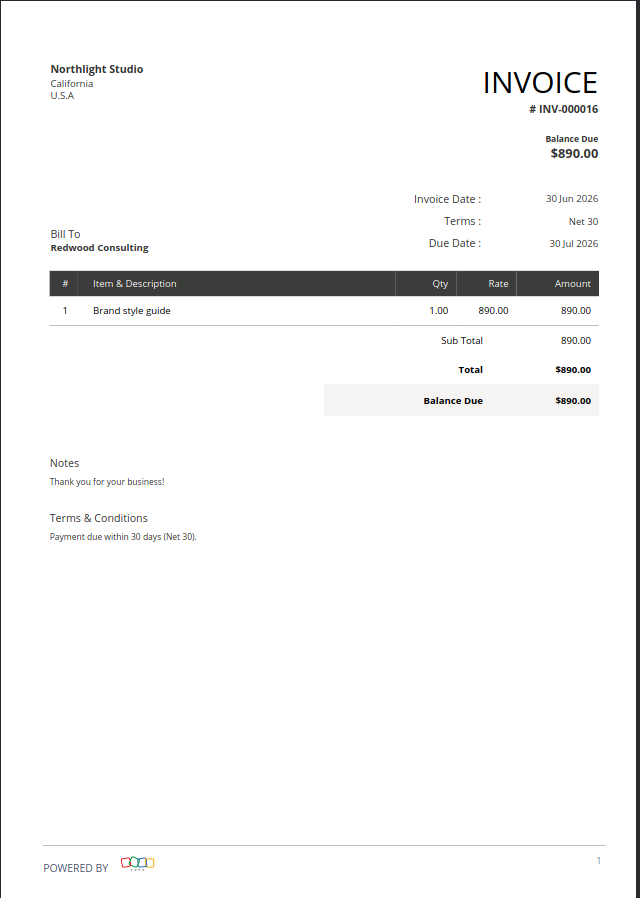
Wave caps features, not income. The Starter plan gives you unlimited invoices, estimates, bills and bookkeeping records, with no revenue ceiling at all. You could bill $200,000 a year and still pay nothing. What you give up is automation: no automatic bank feeds, no receipt scanning, and a “Powered by Wave” footer on every invoice you send.
Zoho caps income, not features. The Free plan is surprisingly complete, it even includes automatic bank feeds, which Wave charges for. But it’s restricted to businesses earning under $50,000 a year, capped at 1,000 invoices a year and one user. Cross that revenue line and you’re moving to a paid plan whether you like it or not.
That’s the real trade-off. Wave lets you earn as much as you want but makes you do more by hand. Zoho automates more but tells you when you’ve grown too big for free.
How I tested Wave and Zoho Books
I created an account in each tool and ran the same freelance setup through it: I added clients, sent branded invoices, logged a year of income and expenses, and pulled financial reports. The screenshots in this article are my own, taken from those accounts. For pricing, I checked each vendor’s official US pricing page (Wave and Zoho Books) and read the fine print, verified as of July 2026, since software pricing changes often. You can read my full process on the methodology page.
Wave vs Zoho Books at a glance
| Wave (Starter) | Zoho Books (Free) | |
|---|---|---|
| Free plan revenue cap | None | Under $50,000/year |
| Invoice volume limit | Unlimited | 1,000/year |
| Users included | 1 | 1 (+1 accountant) |
| Automatic bank feeds on free plan | No — Pro only | Yes |
| Receipt scanning (OCR) | No — Pro only | Limited, credits required |
| Invoice branding on free plan | Prominent “Powered by Wave” | Lighter branding |
| Built-in card payments | Yes, published rates | No, need to connect a gateway |
| Card fee on free plan | 2.9% + $0.60 | Gateway’s rate (Stripe: 2.9% + $0.30) |
| Ease of use | Very easy | Steeper learning curve |
| Global availability | US & Canada only | Worldwide |
| First paid plan | $19/monthly billed or $190 annually | $20/monthly billed or $180/annually |
Where Wave wins
Simplicity. Wave is the one you can figure out without a tutorial. The interface is clean and minimal, and for a freelancer who just wants to log in, send an invoice and get out, that simplicity is the whole point. Even reviewing your books feels closer to a game than to accounting.
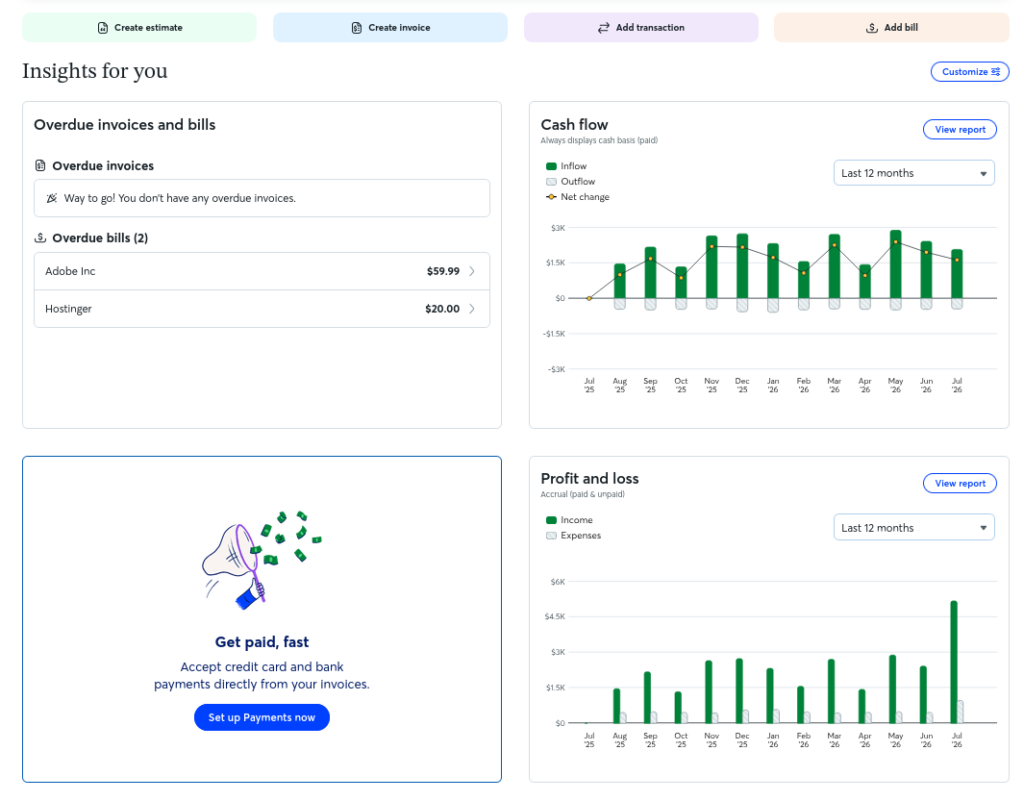
Invoicing. This is Wave’s home turf. The invoice editor is clean and minimal, and you can have a polished invoice ready to email in about two minutes. The client payment portal is genuinely convenient too: your clients pay by card in a click, which tends to get you paid faster.
No income ceiling. This is the underrated one. Wave’s free plan doesn’t care how much you earn. If you bill well but keep your books simple, Wave stays free exactly where Zoho would push you onto a paid plan.
Where Zoho Books wins
Free automatic bank feeds. This is Zoho’s quiet advantage, and it’s a big one. Even on the free tier you can connect your bank and pull transactions in automatically. Wave now locks that behind Pro, so on Wave’s free plan you’re uploading CSV files or typing transactions in by hand, every month, indefinitely. Over a year, that’s hours of difference.
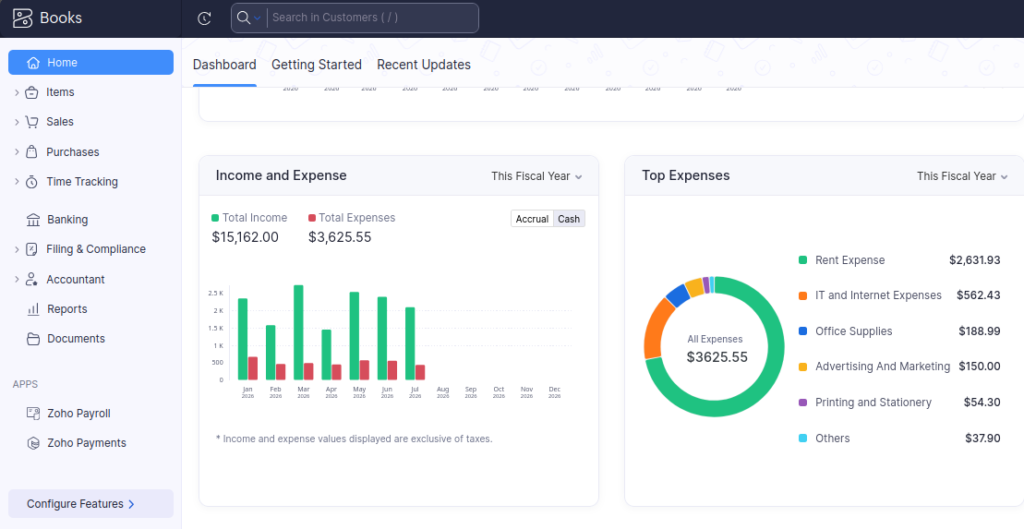
It works everywhere. Wave is US and Canada only. Zoho Books is available worldwide. If you’re a freelancer anywhere else, this comparison is already over.
Customization and room to scale. Zoho’s default invoice templates feel more formal and a little rigid next to Wave’s. But if you work with international clients or agencies that ask for very specific breakdowns, Zoho lets you customize almost everything: local tax fields, withholdings, custom columns, in a way Wave simply can’t. And it scales through six plans inside a wider ecosystem (CRM, projects, payroll), so you won’t have to migrate later.
The true cost of getting paid
Free software isn’t the same as free money. If your clients pay by card, the transaction fee comes out of every single invoice, and over a year that quietly adds up to more than either subscription costs.
Wave has payments built in, with published rates. On the free Starter plan you pay 2.9% + $0.60 per card transaction (3.4% + $0.60 for Amex), or 1% for ACH bank payments, with a $1 minimum.
Wave’s Pro plan advertises a discounted rate of 2.9% + $0, and this is where you need to read the fine print. That discount applies to your first ten transactions each month. From the eleventh onward, the standard $0.60 fee comes straight back.
So the saving caps out at about $6 a month, or $72 a year, against a $190 subscription. The payment discount alone won’t pay for Pro, no matter how many invoices you send. Judge Pro on what it actually gives you day to day, automatic bank feeds, receipt scanning and unbranded invoices, and treat the fee discount as a small bonus rather than the reason to upgrade.
Zoho Books works differently. It doesn’t process payments itself. You connect a third-party gateway and pay that gateway’s rates, not Zoho’s. In practice, if you connect Stripe you’ll pay Stripe’s standard 2.9% + $0.30 per transaction, on any Zoho plan, free or paid.
Side by side, that’s worth noticing: on Wave’s free plan you pay $0.60 per transaction, while Zoho plus Stripe costs $0.30. On 30 invoices a month that’s a $9 difference in Stripe’s favor, before you’ve compared a single feature.
The catch with each free plan
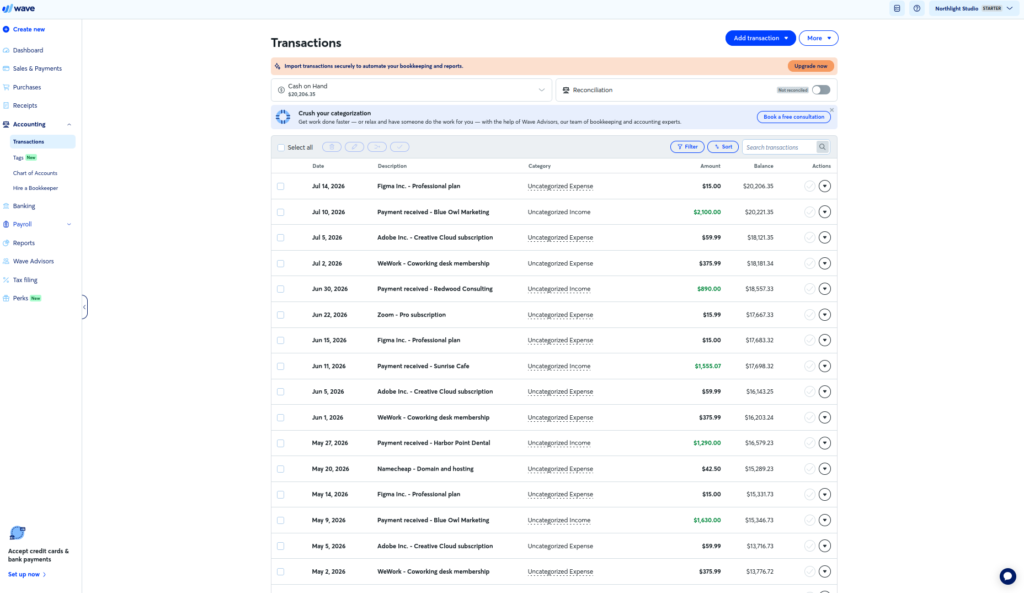
Wave’s catch is manual work. Imported transactions arrive uncategorized and you sort them yourself, one by one. Automatic bank import now lives behind Pro, so on the free plan you’re on CSV uploads or manual entry indefinitely, which stings most at tax time. Free invoices also carry a fairly prominent “Powered by Wave” footer, noticeably larger than Zoho’s branding. And if you’re not in the US or Canada, Wave isn’t an option at all.
Zoho’s catch is complexity and a ceiling. The power comes with a real learning curve: reconciling an account takes more clicks and some basic accounting literacy (debits, credits, a chart of accounts) where Wave keeps things effortless. Bulk data import relies on specific sample file formats that can be fiddly to match. And the free plan ends the moment you cross $50,000 in annual revenue, whether you’re ready or not.
What it costs when you outgrow free
Pricing as of July 2026. Check each vendor’s US site before deciding.
Wave Pro: $190/year (about $15.83/month). Adds automatic bank import, auto-merging and categorization of transactions, unlimited receipt capture with OCR, automated late payment reminders, full custom branding, and a discounted card rate on your first ten transactions each month.
Zoho Standard: $15/month billed annually ($20 month to month). Lifts the revenue cap, takes you to 5,000 invoices and three users, and adds time tracking and project billing. From there it scales through Professional ($40/mo), Premium ($60/mo), Elite ($129/mo) and Ultimate ($275/mo). Watch the add-ons: extra users, receipt auto-scanning credits and higher invoice limits all cost more on top.
Notice how close those first paid tiers are: $190 a year versus $180 a year. At the paid level, price isn’t the deciding factor at all. What you’re really choosing between is Wave’s simplicity and Zoho’s depth.
Which free accounting software for freelancers should you choose?
Choose Wave if:
- You’re in the US or Canada
- You want the least friction possible, with no accounting knowledge required
- You earn over $50,000 but keep simple books — Wave stays free where Zoho won’t
- You want payments built in with clear published rates
- You don’t mind sorting transactions by hand, or you’d upgrade to Pro anyway
Choose Zoho Books if:
- You’re outside the US and Canada — this is the only real option of the two
- You want automatic bank feeds without paying for them
- You have international clients or need specific tax fields and custom invoice layouts
- You expect to grow past solo work and want room to scale
- You’re comfortable with a steeper learning curve in exchange for more power
Both are free to start with no card required, so the lowest-risk move is to run one month of your real invoices and expenses through each and keep the one that feels invisible.
Frequently asked questions
What is the best free accounting software for freelancers?
For most US and Canadian freelancers, Wave is the best free option: easiest to learn, fast clean invoicing, and no revenue cap. Zoho Books is the better free choice if you’re outside North America, want automatic bank feeds without paying, or expect to grow, as long as you earn under $50,000 a year.
Is Wave really free?
Yes. Wave’s Starter plan is free with unlimited invoicing and bookkeeping records, no revenue cap and no time limit. Automatic bank import, receipt scanning and unbranded invoices require Pro at $190/year. Accepting card payments carries a separate transaction fee on any plan.
Is Zoho Books free forever?
Yes, with limits. The free plan has no time limit but is restricted to businesses earning under $50,000 a year, 1,000 invoices a year and one user. Beyond those limits you move to a paid plan starting at $15/month billed annually.
Is there free accounting software with automatic bank feeds?
Yes. Zoho Books includes automatic bank connection on its free plan. Wave used to offer this free but has moved it to Pro, so on Wave’s free tier you import transactions by CSV or enter them manually.
Does Wave Pro’s discounted card rate pay for the subscription?
No. The 2.9% + $0 rate only applies to your first ten transactions each month, so the saving caps at roughly $6 a month, or $72 a year, against a $190 subscription. Upgrade to Pro for the automation, not for the fee discount.
How much does it cost to get paid by card?
With Wave it’s 2.9% + $0.60 per card transaction on the free plan, or 1% (minimum $1) for ACH bank payments. Zoho Books doesn’t process payments itself, so it depends on the gateway you connect: with Stripe, for example, you’d pay Stripe’s standard 2.9% + $0.30.
Can I switch from Wave to Zoho Books later?
Yes. Both let you export your data, and plenty of freelancers start on one and migrate as they grow. Moving detailed history takes some setup, so most people switch at the start of a financial year.
Does Wave work outside the US and Canada?
No. Wave is built for US and Canadian businesses only. If you’re based anywhere else, Zoho Books is your free option of the two.